


In the digital marketing world, companies often treat SEO and user experience (UX) as two different things. SEO is usually seen as technical stuff like keywords and rankings. while UX is about design and how easy a website is to use.
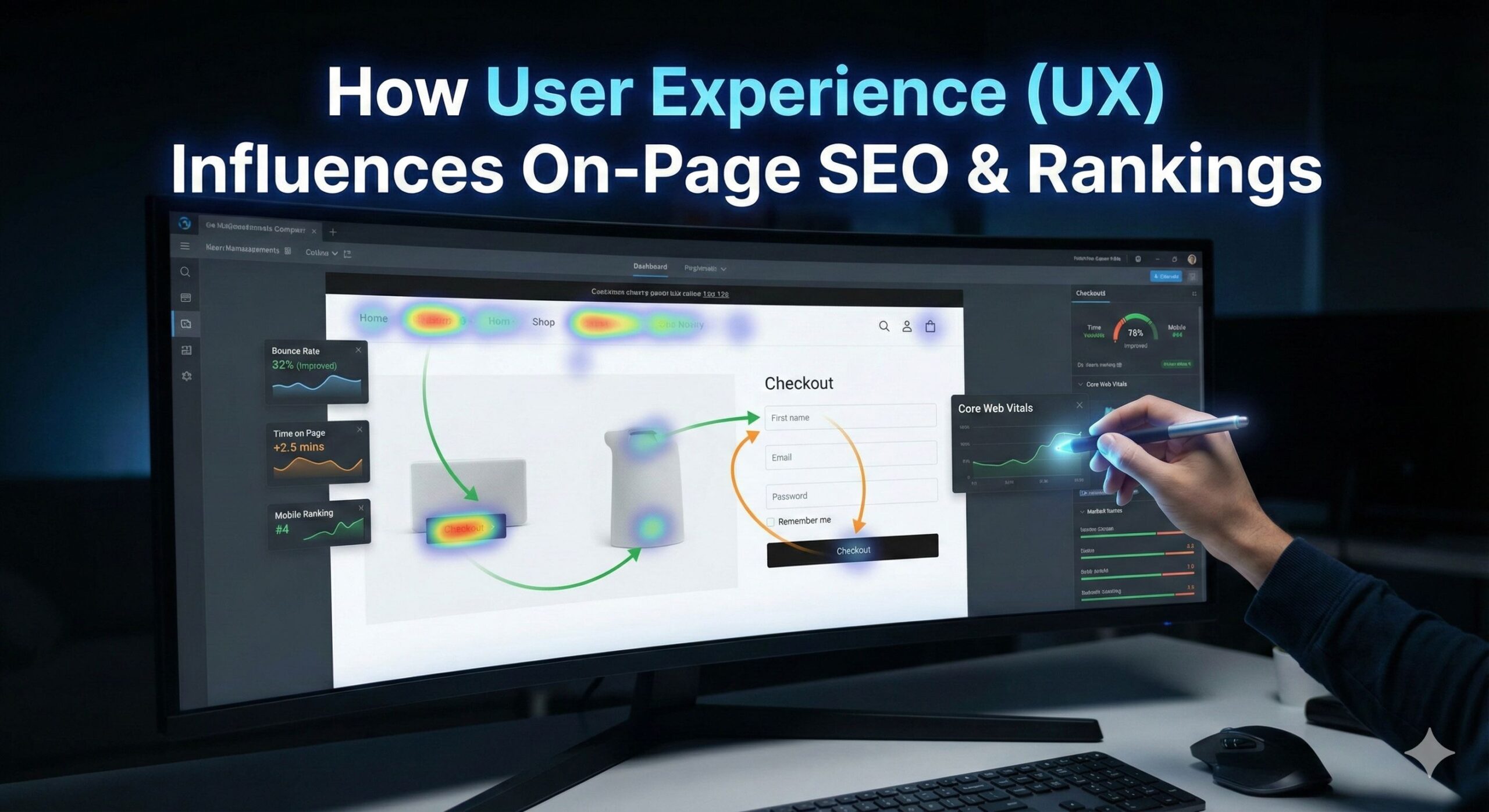
But SEO and UX work together. Google likes sites that give people a great experience. Search engines don’t just look at keywords anymore. They see how people act on your site. If people stay, click around, and enjoy themselves, Google thinks your site is good and ranks it higher. That makes UX important for your site’s ranking.
What Is User Experience (UX) in SEO?
User Experience (UX) is how users feel when interacting with your website. Is it easy to use? Does it load fast? Is the info clear? Does it help them out? Google wants to rank pages that are helpful and easy to use. Good UX means Google can find your site more easily, users will stick around longer, and your site will rank higher.
UX things that matter for SEO:
- Page loading speed
- Mobile responsiveness
- Readability
- Layout & structure
- Navigation clarity
- Visual hierarchy
- Core Web Vitals
- Accessibility
- Engagement signals
Why UX is Important for SEO
SEO isn’t just about getting search engines to like you. It’s about making users happy because search engines pay attention to what users do. If someone visits your site and stays, clicks around, reads stuff, and buys something, Google sees that as your page is good. But if someone leaves right away because the site is hard to use or takes too long to load, Google thinks the UX is bad, and your rankings will drop. So, UX helps SEO by making user behavior better.
Google’s Algorithm Is Built Around UX
Google’s major updates, Panda, RankBrain, Hummingbird, Mobile-First, and the Page Experience Update, all point to one main point. Rank the sites users enjoy most.
Now, Google checks websites using:
1. Core Web Vitals
These measure loading speed, interactivity, and stability.
2. Mobile-First Indexing
Google focuses on mobile UX first.
3. EEAT Guidelines
This covers experience, expertise, authoritativeness, and trustworthiness.
4. Search Intent Matching
Does your content really fix the user’s problem?
5. Behavior Signals
This includes time on page, bounce rate, click-through rate, and session length.
All these factors rely on how users experience your site.
How UX Influences On-Page SEO & Search Rankings
Let’s break down how specific UX elements impact SEO performance.
1. Page Speed Directly Affects Bounce Rate & Ranking
People want websites to load fast, ideally within 2–3 seconds. Even a 1-second delay can really hurt your sales.
Impact on SEO: Slow loading times Make people leave your site faster. It can hurt your Google ranking and send bad signals to Google about your site’s UX.
UX Improvements:
- Make images smaller.
- Use simple themes.
- Make CSS and JS files smaller.
- Use a CDN.
- Use caching.
Fast websites always rank higher because users stay longer.
2. Mobile-Friendly Design is super important.
More than half of all people use their phones to browse the internet, and Google looks at your mobile site first when deciding rankings.
Impact on SEO:
- If your mobile site is bad, your ranking will drop.
- If your content is hard to read, people will leave quickly.
- Slow mobile speeds will make it harder to be seen.
UX Improvements:
- Use a design that adjusts to fit any screen.
- Don’t use small fonts.
- Make sure buttons are easy to tap.
- Get rid of annoying popups.
A great mobile experience equals better search rankings.
3. Clean Navigation Improves Crawlability & Engagement
Navigation is the most important part of user experience. When users can easily find what they need, they stay longer.
Impact on SEO:
- Better crawlability for search engines
- Visitors will view more pages.
- Lower bounce rate.
- Better internal link distribution
UX Improvements:
- Make the menu clear and simple.
- Organize content logically.
- Use breadcrumbs for clean navigation
- Internal linking to relevant pages
- Add a search bar if you have a large site
Good navigation signals relevance and encourages deeper engagement.
4. Easy-to-Read Content Keeps users on Your Site
People usually scan web pages instead of reading every word. Make your content easy to read and well organized.
Impact on SEO:
- Improved dwell time
- Better content comprehension
- Higher engagement
- Better chances of ranking in featured snippets
UX Improvements:
- Use short paragraphs
- Add bullet points
- Use descriptive headings (H2, H3)
- Increase line spacing
- Use readable fonts
- Add visuals like images, charts, infographics
Readable content keeps users on the page longer and improves rankings.
5. Visual Design Builds User Trust
A poorly designed website can instantly deter potential visitors, increasing bounce rates.
Impact on SEO:
- A pro design makes you seem trustworthy.
- Visitors spend more time exploring.
- Trust signals improve conversions.
UX Improvements:
- Maintain a consistent color scheme.
- Make your branding clear.
- Use High-quality visuals
- Avoid layouts that are too busy.
- Use white space to make the design clean.
A website that looks good makes users happier and also helps your SEO.
6. Internal Linking Enhances UX and On-Page Optimization
Internal links make it easier for visitors to find what they need and help search engines understand your site’s structure.
Impact on SEO:
- They let search engines crawl your site without problems.
- They pass link value from page to page
- They may reduce your bounce rate
- Encourages folks to hang around longer.
UX Improvements:
- Add links to related articles
- Use descriptive anchor text
- Create topic clusters
- Include a related posts area.
When internal linking is done well, people can explore your site without any trouble.
7. Get Rid of Pesky Pop-ups for a Better User Experience
Pop-ups might help get conversions, but they can also be annoying.
Impact on SEO:
- People leave your site faster (high bounce rate).
- Poor experience on phones.
- People don’t stick around or interact with your page.
UX Improvements:
- Use delayed pop-ups
- Use slide-ins instead of full pop-ups
- Keep them easy to close
- Avoid covering core content
Search engines aren’t fans of annoying pop-ups, so use them carefully.
8. Use Good Images and Media to Grab Attention
Visuals keep people interested and can lower the chance that they’ll leave your site quickly.
Impact on SEO:
- Improves user satisfaction
- More link-building (if you make infographics).
- Better chances of ranking in image search.
UX Improvements:
- Use smaller image files.
- Add alt text to describe images.
- Use images that match the topic of your content.
- Be consistent with your visual style.
Visuals improve the overall user experience of any page.
9. Accessibility Enhances UX for All Users
Accessibility is becoming an important part of SEO. How It Affects SEO:
Impact on SEO:
- It makes your site easier to crawl.
- It helps with voice search visibility.
- It reduces problems for users with disabilities.
UX Improvements:
- Add alt text to images.
- Use easy-to-read font sizes.
- Make sure your site is easy to use with a keyboard.*
- Check your color contrast.
Websites that include everyone tend to do better in search results.
10. Match Search Intent for Better Experience and Rankings
A better experience starts with content that matches what visitors want.
Impact on SEO:
- It makes your site more relevant.
- It increases the time visitors spend on your site.
- It lowers your bounce rate.
- It leads to more conversions.
Search intent types:
- Informational
- Navigational
- Commercial
- Transactional
If you meet user expectations, you’ll get higher rankings and create a better experience.
How to Combine UX and On-Page SEO the Best Results
Here’s how to put them together well:
1. Make a Fast, Mobile-Friendly Layout
Fast speed and working on phones are very important for ranking well.
2. Simple Layout with Easy Navigation
Make things easy to see and make sense.
3. Content for People, Then Google
Good content that people read is what does best.
4. Good Internal Links
Help people find what to read next.
5. Visually Balanced Pages
Don’t overcrowd pages; use space well.
6. Focus on Core Web Vitals
Good LCP and FID & CLS = higher rankings.
7. Media Adds Value
Photos, videos, etc., make the site better for users.
8. Make Sure It Is Accessible
Sites that follow accessibility guidelines do better.
9. Keep Testing and Improving UX
Tools to use:
- Heatmaps
- A/B tests
- Scroll-depth analysis
- User behavior tools
SEO and UX never stop being ongoing things.
Good UX is the New SEO
User Experience (UX) is now a big deal for on-page SEO and search rankings. Google wants to show the websites that people enjoy, trust, and use a lot.
Good UX means:
- People stay longer
- Lower bounce rates
- More people interact
- Better sales
- Higher rankings
Bad UX means:
- High bounce rate
- Low time-on-page
- Poor engagement
- Ranking drops
For SEO to work long-term, you need to combine technical things + design for users. A website made for people will always do better in search.